Sharing Your Position
Alpik Pro lets you share the live position of a KIP beacon with your loved ones in real time, without them needing to create an account or install anything — a simple link is enough.
Accessing position sharing
Navigate to Paramètres → Partages de position to see the list of existing shares for your beacons.
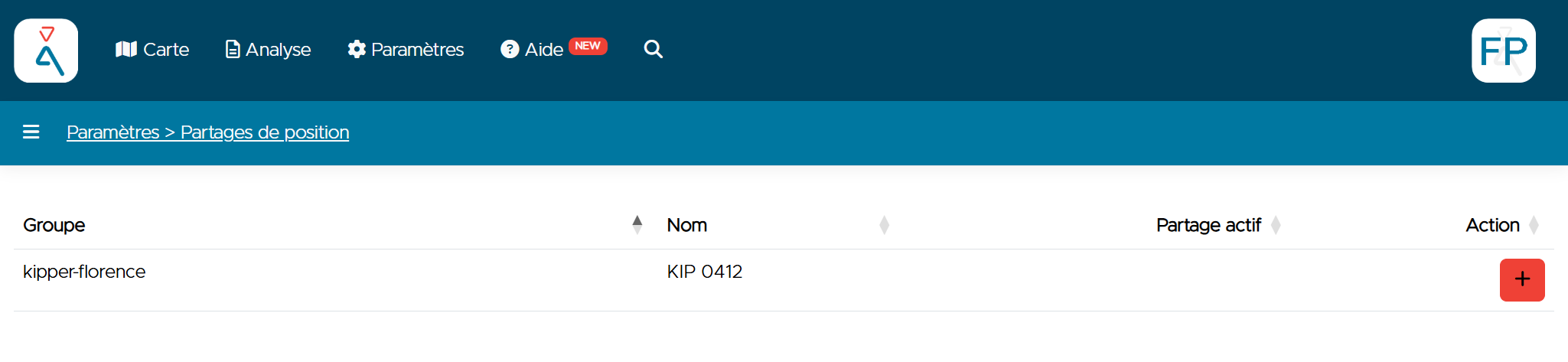
Click the + button next to the relevant asset to create a new share.
Creating a share
Enter a description for your share (for example, your name and the occasion — "John Doe - Ski trip tracking"). This description is only there to help you find the share again later — it is not visible to the person you share it with.
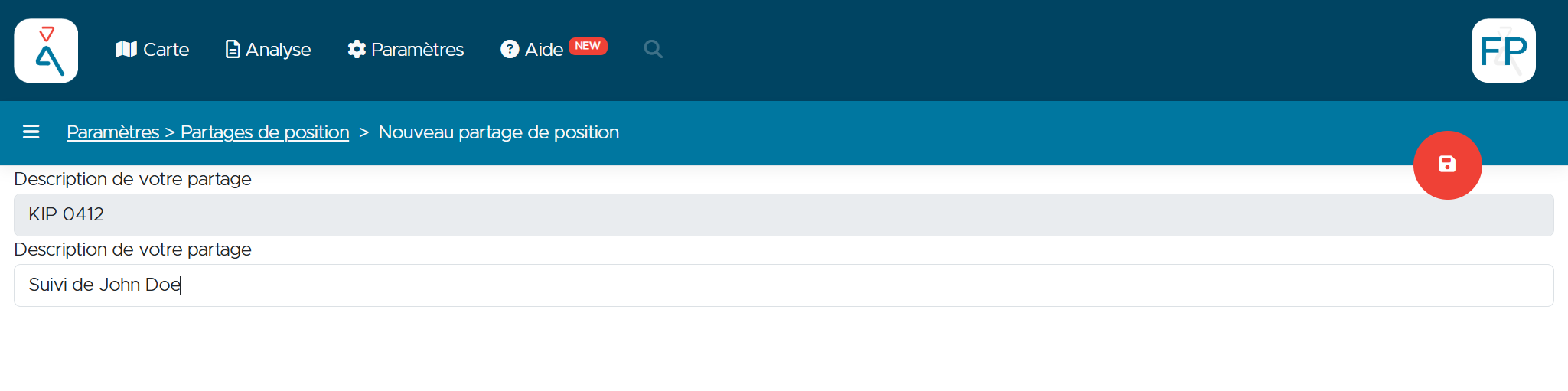
Click the save icon (disk, top right) to create the share.
You can create a share with a generic name ("Share for John Doe") and reuse it indefinitely without ever coming back to the Alpik Pro console. You stay in control of your privacy, since you're only tracked while your beacon is switched on.
Retrieving the link
Back on the list, the share now appears with a link in the Partage actif (Active share) column.
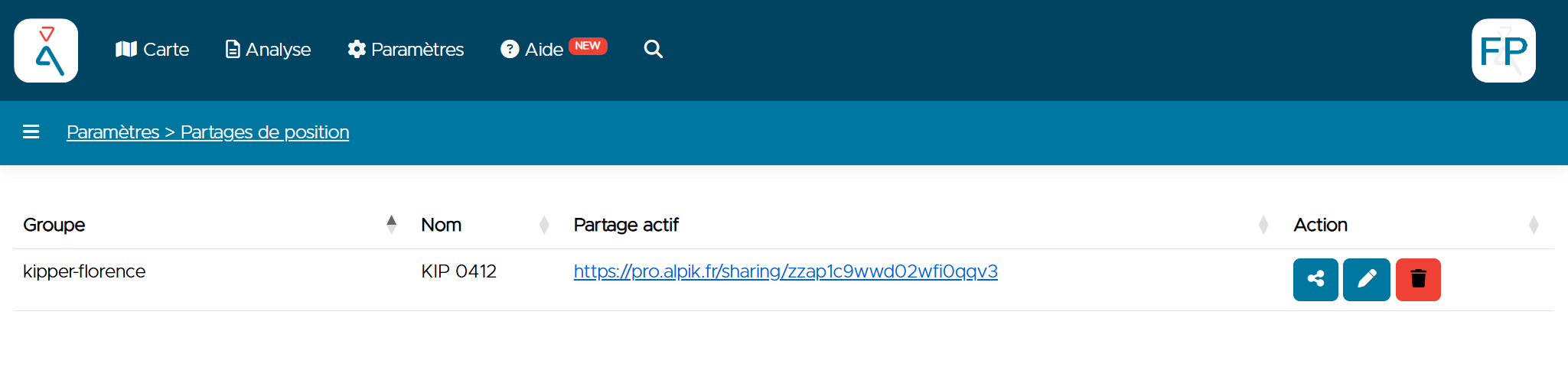
Three actions are available on this row:
| Icon | Action |
|---|---|
| Share (share icon) | Opens the link-sending options |
| Pencil | Edit the share's description |
| Trash | Delete the share (the link then stops working) |
A deleted share stops working — meaning your position is no longer accessible through it — but the link itself doesn't become unreachable. We made this choice so that if someone following you isn't aware your trip has ended, they'll see, by opening the link, that the share is no longer active.
Sending the link to your loved ones
Click the Share icon to open the sending window. You can copy the link directly, generate a QR code, or send it via WhatsApp, SMS, email, or any other app installed on your phone.
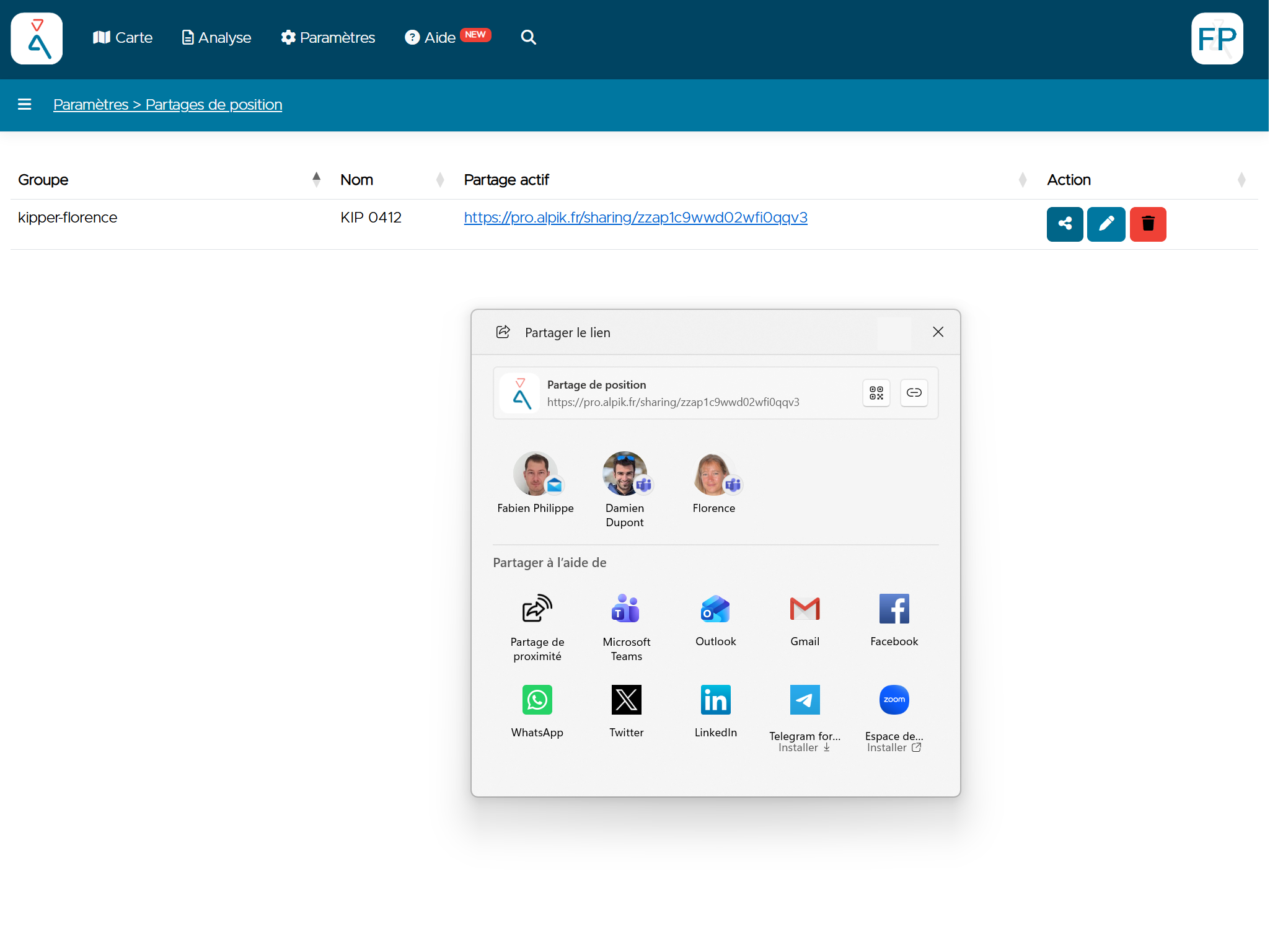
Whoever receives the link can follow the live position simply by opening it in their browser — no install, no Alpik Pro account needed.
Once the link is sent, there's nothing more to do
This is the key point: once the share is sent, you carry on exactly as you would without a KIP. Just tell your loved ones where you're going, as usual — the KIP and Alpik Pro take care of the rest automatically, with no extra action on your part.
The only thing to pay attention to is making sure your loved ones can easily find the link when they need it. A few ideas:
- Pin the link at the top of a WhatsApp conversation or group.
- Save it among your shared contacts or favourites.
- Send it again if in doubt — the link stays the same as long as the share hasn't been deleted.
As long as the share isn't deleted, the same link keeps working. There's no need to create a new share or resend the link before each outing.
Position sharing and SOS alerts
Position sharing and SOS alerts are two different things: sharing the tracking link with someone lets them see the beacon's position, but it does not add them to the list of people notified in an emergency.
The people notified by SMS when an SOS alert is triggered are those configured under Surveillances → Alertes → SOS, independently of who you've shared the tracking link with. Make sure to check this list separately. See In Case of Emergency for what to do when an alert is triggered.
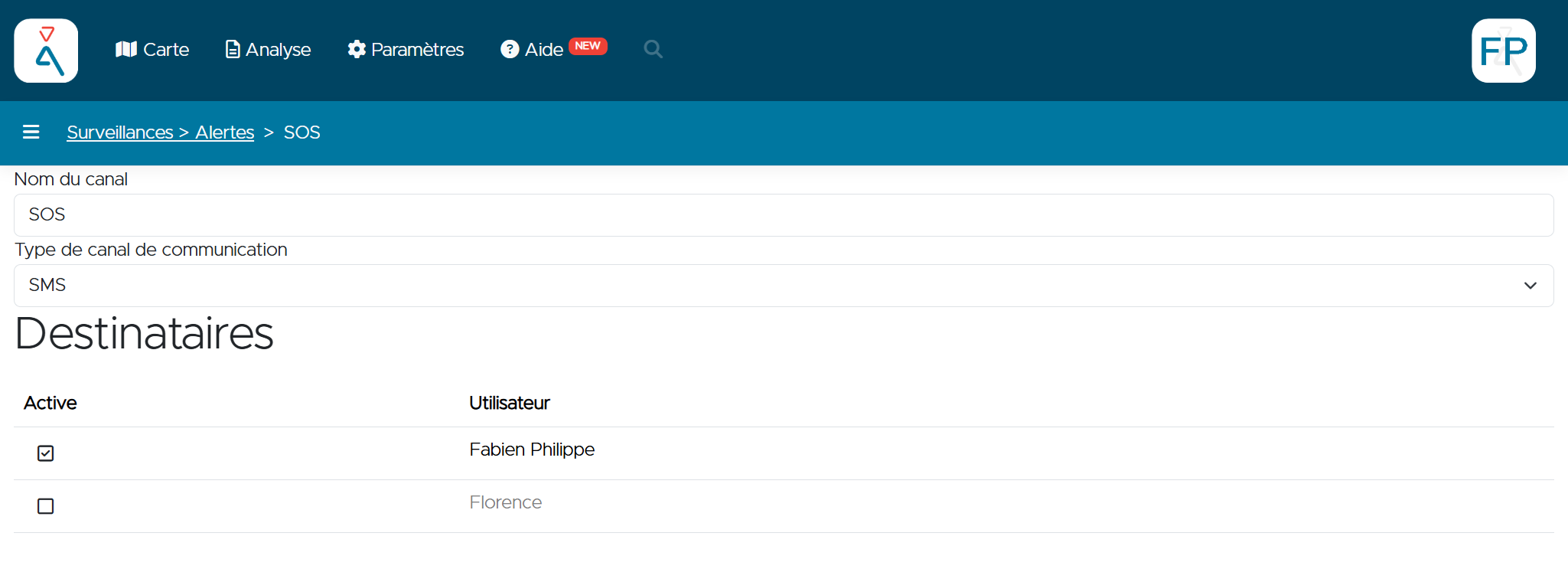
On this page, the Active checkbox next to each user determines whether they receive the SOS alert SMS or not. Make sure to check every loved one who should be notified in an emergency.
Need help?
Contact contact@alpik.fr for any questions about position sharing.